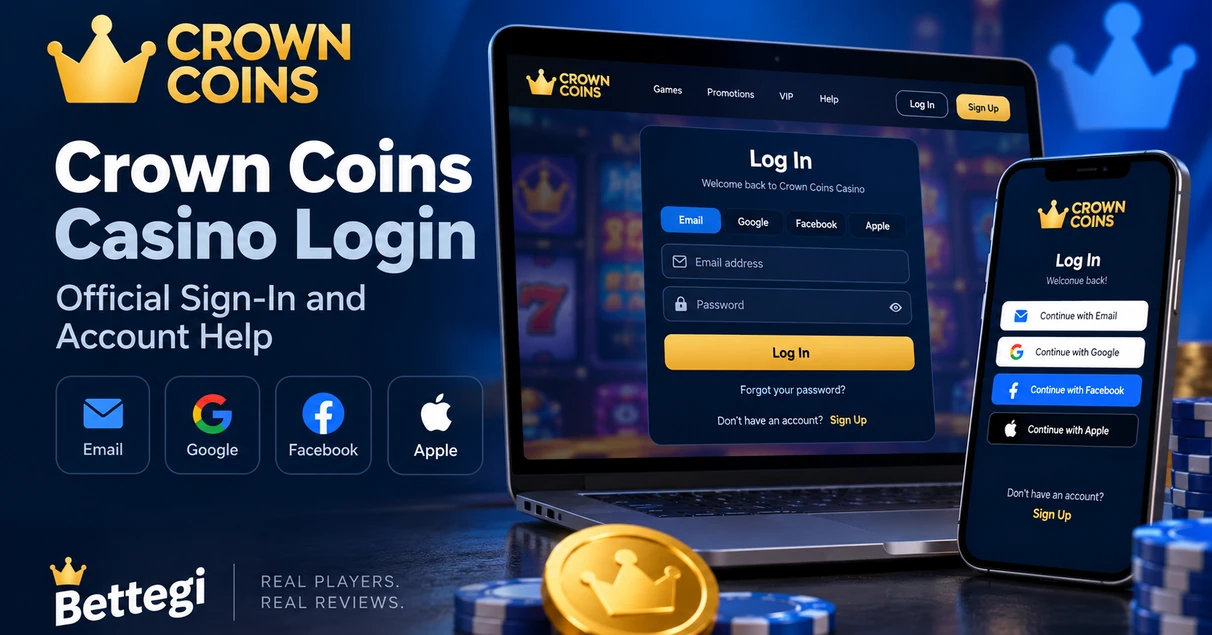
The Crown Coins Casino login is available through the official Crown Coins website. Click Log In, then use the same sign-in method you selected when you created your account: email and password, Google, Facebook, or Apple.
If you cannot access your account, do not create a second one. Crown Coins allows one account per user, and we can close duplicate accounts.
Use the official Crown Coins Casino website to log in with the same method you used during registration. If your password is wrong, you can reset it by email. More than five consecutive incorrect password attempts can temporarily lock your account for 30 minutes. Crown Coins also provides 24/7 online support if you cannot regain access
How to Log In to Crown Coins Casino
The login process takes only a few steps:
- Open the official Crown Coins Casino website.
- Click Log In in the top-right corner.
- Sign in with your email and password, or use the same Google, Facebook, or Apple account you used when registering.
- After login, you can access the game lobby, coin balances, bonuses, account settings, and redemption information.
Using a different login method can prevent access even when the email address appears to be the same. Crown Coins specifically instructs users to continue with the registration method originally attached to the account.
Crown Coins Casino Login Not Working?
Most login problems fall into a few specific categories.
| Problem | What to Do |
|---|---|
| Wrong password | Use the password reset option on the login screen. |
| Wrong login method | Use the same email, Google, Facebook, or Apple method used when registering. |
| Too many failed attempts | Wait 30 minutes before trying again. |
| Account closed or in cooldown | Access remains blocked until the applicable restriction ends. |
| Duplicate account | Use the credentials for your primary Crown Coins account. |
Crown Coins says an account can be temporarily blocked for 30 minutes after more than five consecutive incorrect password attempts. Accounts under a cooldown or closure restriction can also remain inaccessible until that period ends.
If the login page still does not work, the Crown Coins Help Center also recommends clearing your browser cache and cookies before contacting support.
How to Reset Your Crown Coins Password
If you registered with an email address and password, open the login window and select the password reset option.
Enter the email connected to your account. Crown Coins sends a reset code to that address. Enter the code, create a new password, and then log in with the updated credentials.
If you registered through Google, Facebook, or Apple, Crown Coins cannot reset that password itself. You need to recover the password through the same provider before signing back in.
Crown Coins Casino Customer Service
Crown Coins currently provides 24/7 online support through its official support system. According to the current Crown Coins Help Center, the platform does not offer phone support.
If you are already logged in, open:
My Account → Support → Send us a message
If you cannot log in, scroll to the bottom of the Crown Coins website and use Contact Us to submit a support request. Include your account email, the error message, and a screenshot if one is available.
This is also a good place for our neutral outbound link: make Crown Coins Help Center a dofollow link to the official help center.
Crown Coins Login on Mobile
Your Crown Coins account is not limited to desktop access. You can sign in through the mobile website using the same account credentials and registration method.
Don’t create another account just because you are switching devices. Your existing Crown Coins balance, account information, and account status remain tied to the original profile.
Final Words
Use the official Crown Coins website and the same login method you used to register.
If the password is the problem, reset it through your account email. If access is still blocked, official Crown Coins support is available 24/7 and can be reached even if you cannot sign in.
How do I log in to Crown Coins Casino?
Open the official Crown Coins Casino website, click Log In, and use the same email, Google, Facebook, or Apple login method you used when creating your account.
What should I do if I forgot my Crown Coins password?
Use the password reset option on the Crown Coins login screen. If your account uses email and password, Crown Coins will send a reset code to your registered email address.
Why is my Crown Coins account temporarily locked?
Crown Coins may temporarily block login for 30 minutes after more than five consecutive incorrect password attempts.
How do I contact Crown Coins customer service?
Crown Coins provides 24/7 online support. Logged-in users can open My Account, select Support, and send a message. If you cannot log in, use the Contact Us option on the Crown Coins website.
Can I create another Crown Coins account if I cannot log in?
No. Crown Coins does not permit duplicate accounts. Use the recovery process or contact support to regain access to your primary account.